To determine the version of Outlook installed on your computer, open Outlook. Look at the top of the application window.
Outlook 2010
If you have the ribbon that looks like this, you are probably running Outlook 2010.

In the File tab, click Help. In the right-hand side of the window pane your Outlook version will be listed.
Outlook 2007
If you have drop-down menus that look like this, you are probably running Outlook 2007.
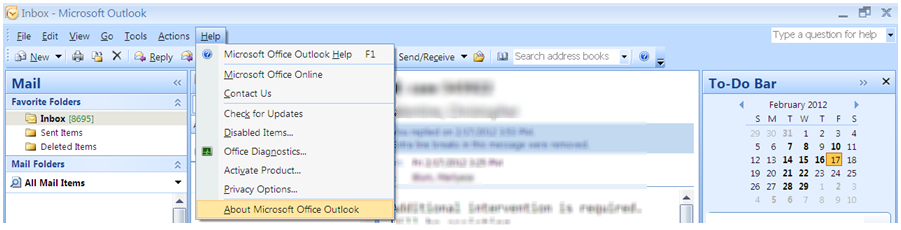
In the Help menu, select About Microsoft Office Outlook. Your Outlook version will be listed.