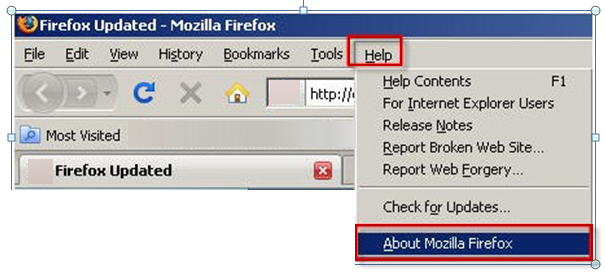
If you see a menu bar, Click Help. Click About Mozilla Firefox. A window appears that provides information about the browser. The version is located below the browser name.
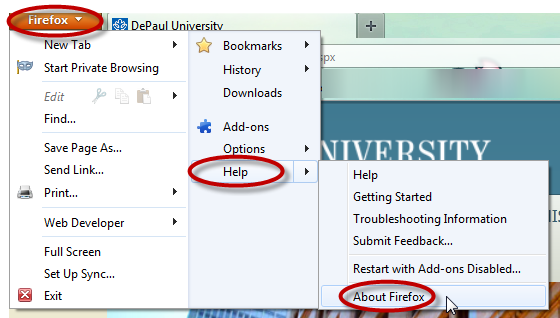
If you see an orange Firefox dropdown menu in the top right-hand corner, click Firefox, then Help, and About Firefox. The version will be listed.
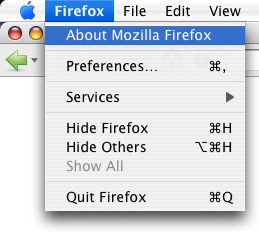
Launch Mozilla Firefox. Click on Firefox in the upper left-hand corner of the computer screen (next to the Apple symbol). Click About Mozilla Firefox. A window appears that provides information about the browser. The version is located below the browser name.
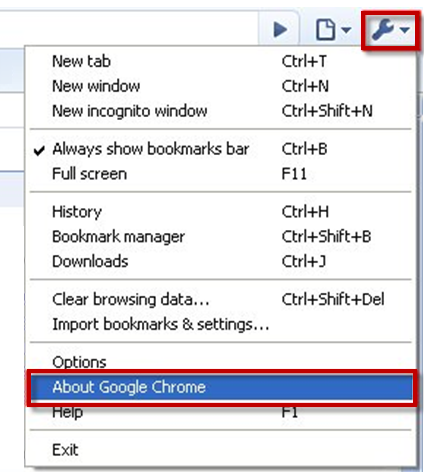
Click the icon that looks like a wrench in the upper right-hand corner of the window. Then, select About Google Chrome. The browser version will be listed.
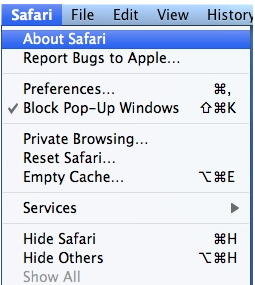
Open Safari. Click Safari in the upper left-hand corner of the computer screen (next to the Apple symbol). Choose About Safari from the drop-down menu. The version will be listed.